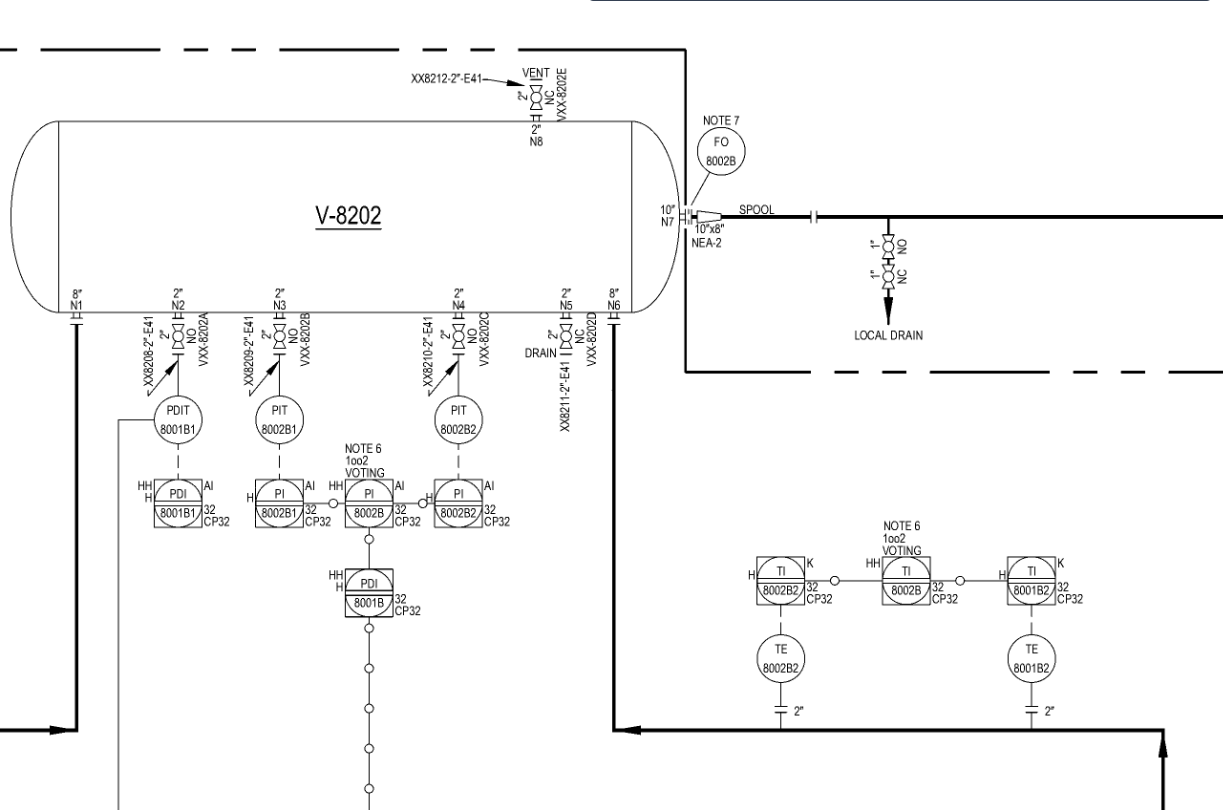
Upload P&IDs and get structured data in seconds. Then generate revision analysis, QC checks, equipment lists, and more.
Drop in any P&ID — clean exports, scanned copies, even hand-marked PDFs. BigMachine extracts every element, lets you verify the results, and then automates the engineering work on top of it.
Drop in a drawing PDF. Any authoring tool, any quality — clean exports, scanned copies, broken PDFs with bad metadata. It all works.
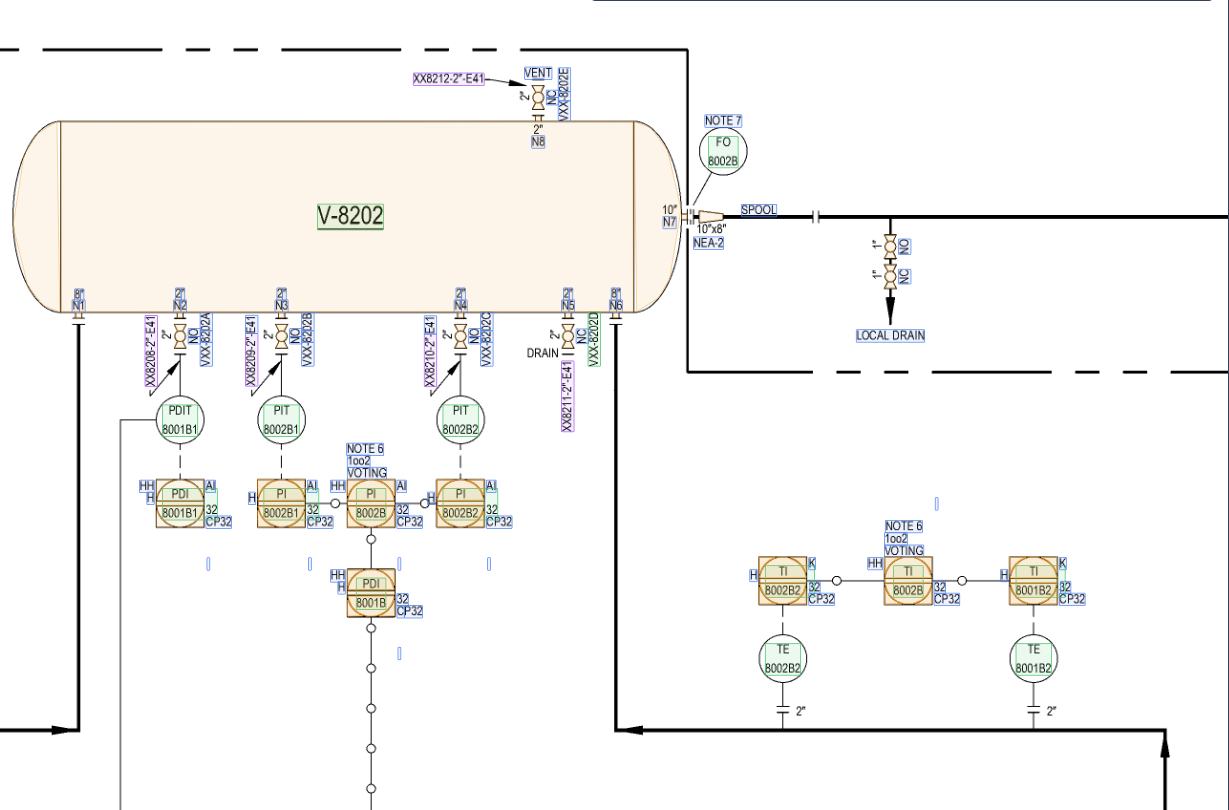
Every tag, instrument, line, symbol, and connection is identified and mapped into a structured engineering model — with confidence scores on every element.
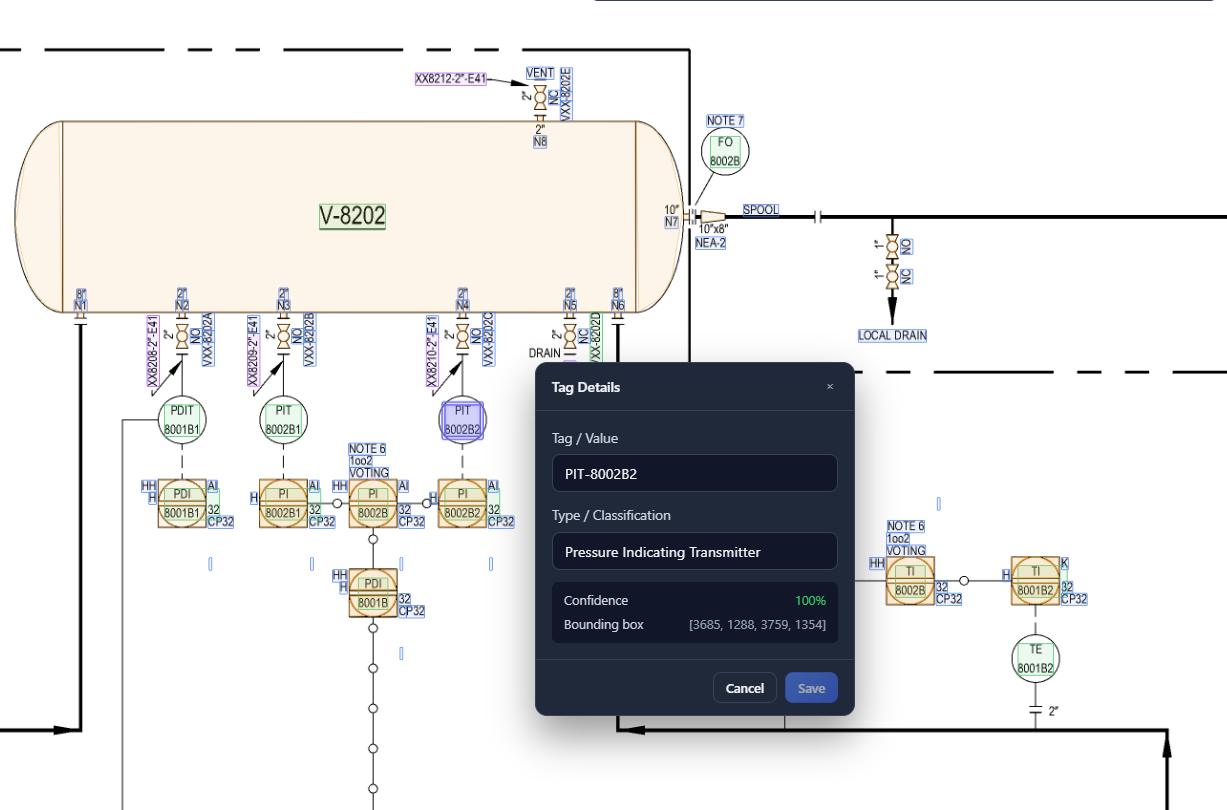
Review extraction results overlaid on the drawing. See confidence scores, correct anything that needs it, and approve the structured output before it goes anywhere.
One click to generate revision diffs, QC checks, equipment lists, and more — all from your verified data, ready for your review.
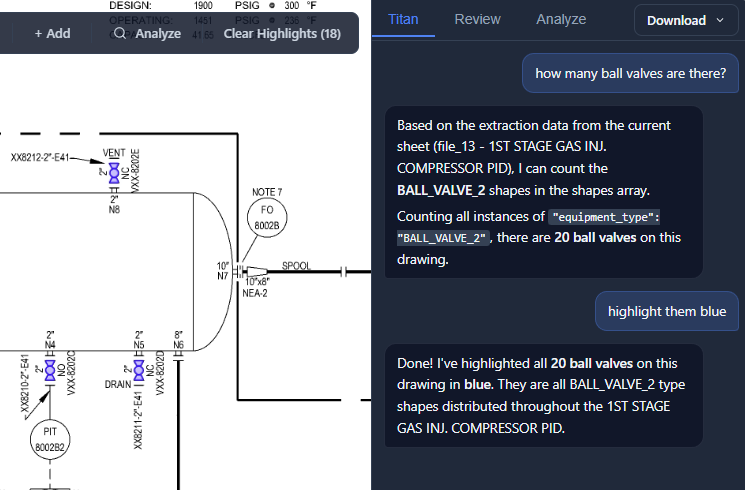
Ask questions about your drawings in plain language and get instant answers from the structured data. But Titan is more than chat — it's your command center. Run a QC check. Generate an equipment list. Compare revisions. Tell Titan what you need; it orchestrates the work.
"How many instruments are on this P&ID?"
"Compare Rev C and Rev D and show me what changed."
"Run a QC check against our project naming standards."
"Export the full equipment list for this drawing set."
Ask a question. Give a command. Titan handles both — directly from your drawing data.
Learn more →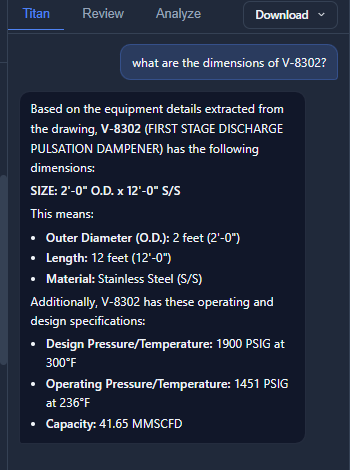
Extract equipment and instrument counts across an entire bid package. BigMachine processes every drawing, assembles the quantities, and exports directly to your estimating spreadsheet.
Get started →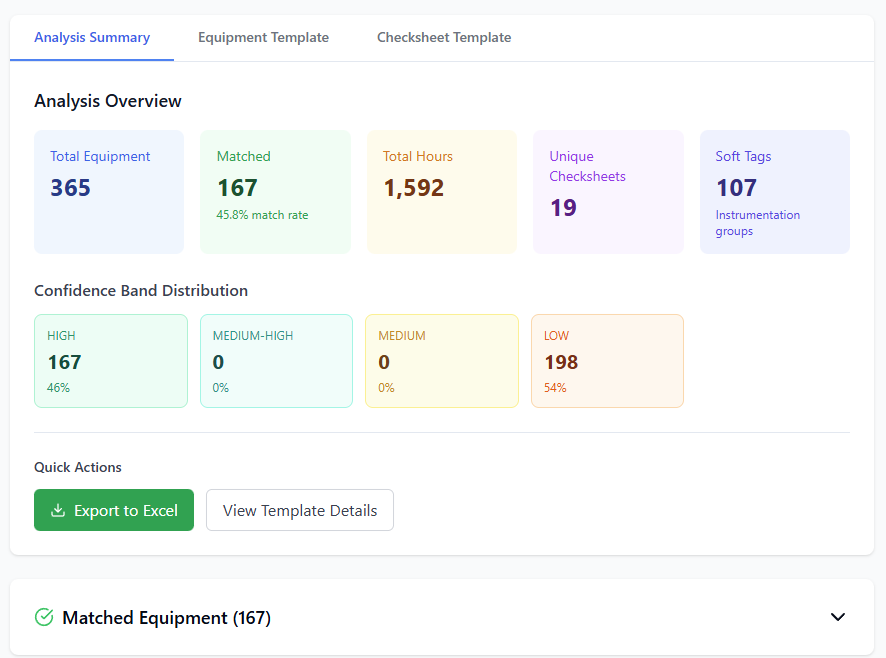
Upload two revisions and get a precise diff of every addition, removal, and modification. No more printing two drawings and comparing by eye. Scope changes, new instruments, removed connections — all flagged and reported for your review.
Get started →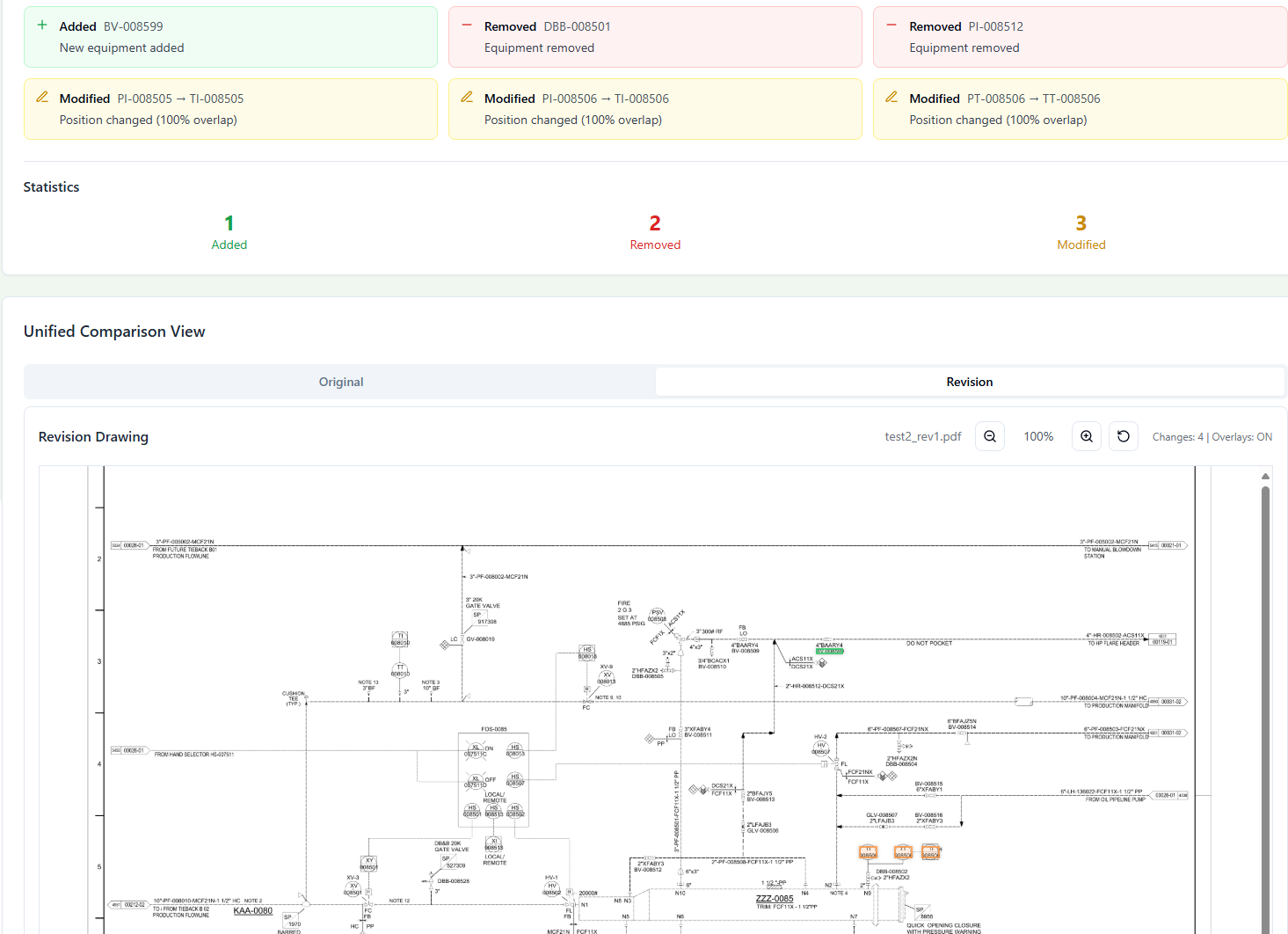
Define checks in plain language — Titan turns them into automated rules and runs them across your full drawing set. Missing tags, inconsistent naming, spec violations — caught in minutes, resolved in context with marked-up outputs.
Get started →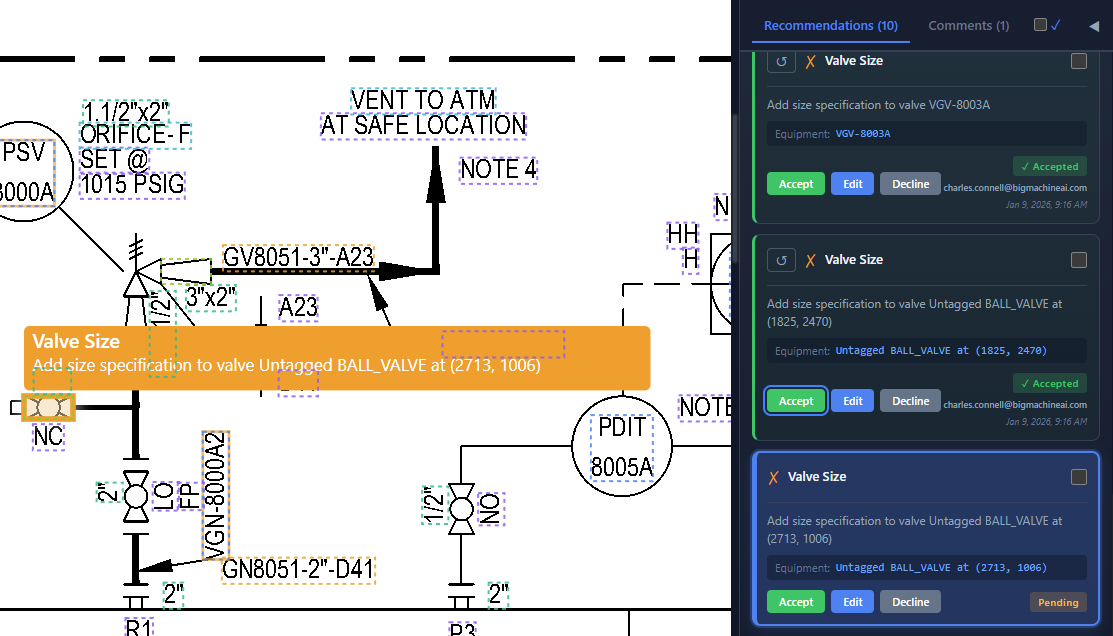
Extract every instrument, valve, and control element with associated tags and attributes. BigMachine assembles the lists you need for loop checks, pre-commissioning, and mechanical completion — directly from the drawings, in minutes instead of weeks.
Get started →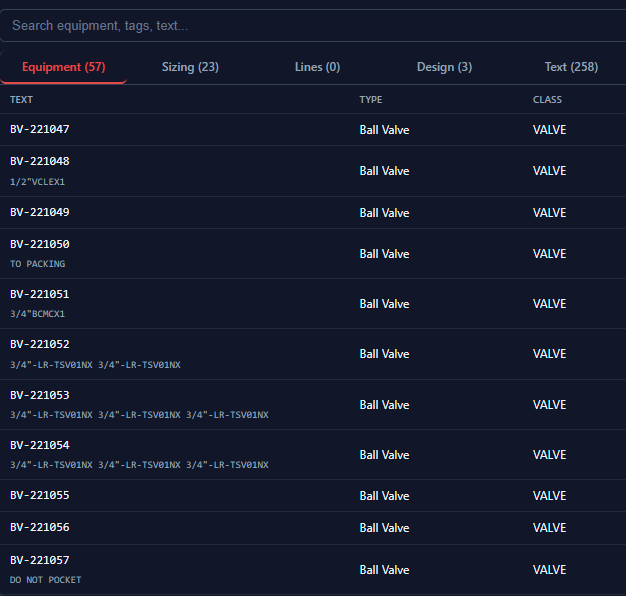
Produce a HAZOP report, controls narrative, or a data sheet using your templates and drawing data. BigMachine pulls the relevant data from your extracted drawings and generates a document ready for review. No copy-pasting from PDFs. No rebuilding tables by hand.
Get started →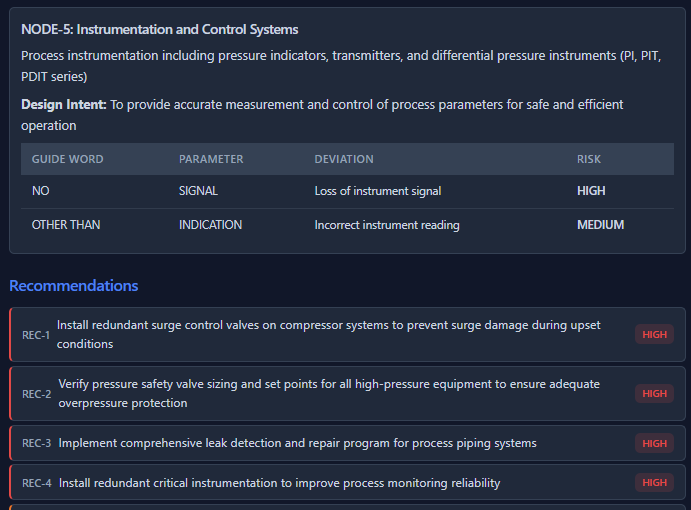
Export the structured data model as CSV or JSON, or connect via the API to run workflows programmatically. Build custom validations, feed your material management system, or push data directly into project controls tooling.
Get started →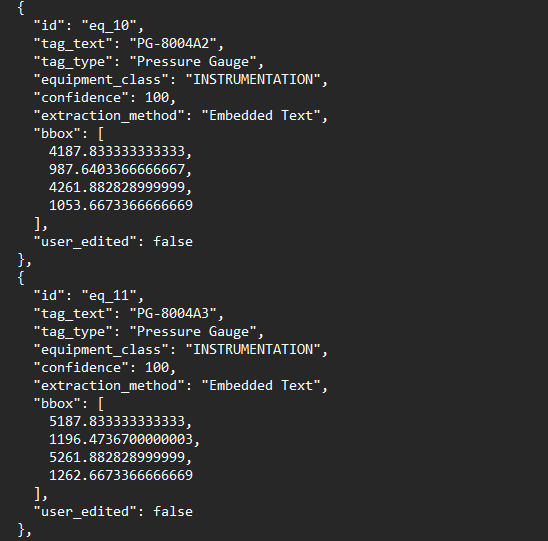
A multi-model extraction pipeline that combines custom OCR, computer vision, and image processing to capture every element on a drawing — then assembles them into an engineering-aware data model that understands what things are, how they connect, and how they've changed.
A built-in library of ISA symbols covers most P&IDs out of the box. If something's missed, define it once and it's recognized everywhere — across any drawing, at any scale or rotation, regardless of overlapping text.
A custom OCR engine reads every annotation, then associates text to the right component using spatial and semantic reasoning. "Set point 300 PSI" near an instrument bubble gets linked to that PRV — not the adjacent line.
Symbols, text, and spatial relationships are assembled into a structured engineering data model — components, connections, attributes, and process flow. Not a list of detections. A model that understands the drawing.
Extraction accuracy and reliability proven across thousands of real-world engineering drawings.
Extraction accuracy validated across thousands of drawing sheets in production. Across 60+ organizations including top-20 EPCs and Fortune 500 owner-operators.
Every extraction includes confidence scoring. Low-confidence items are flagged for human review. Deterministic, not probabilistic.
Every extraction is reviewable before use. Flag and correct results directly on the drawing — nothing goes downstream until you approve it.
Handles different tagging philosophies and symbology standards seamlessly. Custom dictionaries for project-specific work.
Export the data model in standard formats — CSV, JSON, API — for integration with existing tools and workflows.
Clean CAD exports, broken PDFs, scanned copies with hand-written markup. The pipeline handles them all.
Built for security, scale, and deployment in production engineering environments.
Our AI models are built entirely in-house, ensuring zero data leakage to third-party AI services.
Built with enterprise-grade security practices. Your sensitive engineering data is stored and protected with the highest standards.
Run BigMachine entirely within your own infrastructure – ideal for strict security, compliance, and data residency requirements.